01
IMPORT XML
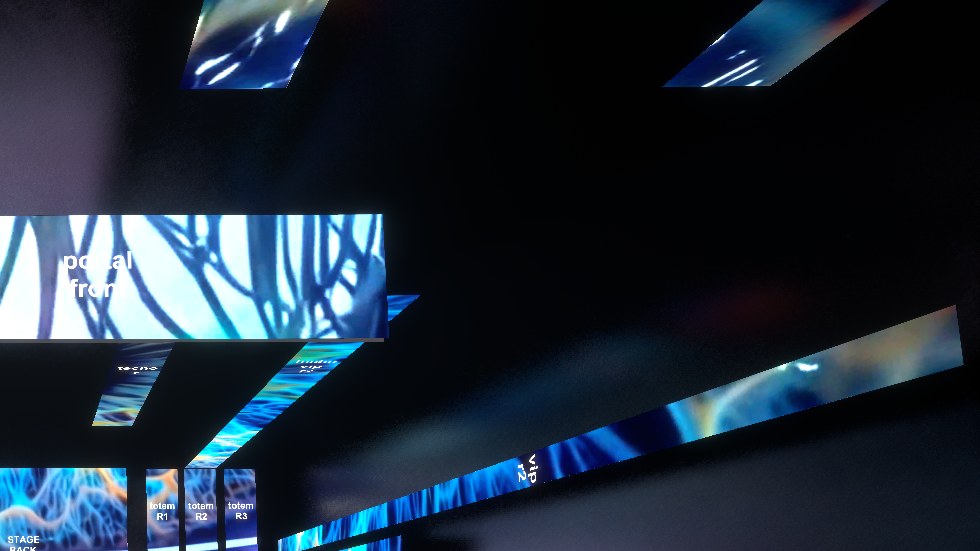
Read Resolume's Advanced Output and the venue builds itself: every SCREEN and SLICE, at its real size from the pitch.
Import your Resolume XML, place the screens in 3D and watch your content live, in the venue, before you get to the venue. Via NDI or Spout, with cameras, X-RAY and recording.
XR Venue Lab is a tool for VJs, video technicians and production companies: it builds the room with its LED screens, receives video from Resolume in real time and lets you walk through it as the audience, the technician or a camera. Use it to prepare the show, pitch an idea to a client and record it.
Read Resolume's Advanced Output and the venue builds itself: every SCREEN and SLICE, at its real size from the pitch.
Move and rotate screens over the live video, join screens with the magnet, build groups and adjust the room. Undo and redo across the whole venue.
Four input channels via NDI® (ndi.video) or SPOUT. Each SCREEN shows the channel you pick, instantly.
Seven cameras placed automatically for the room (FOH, sides, stage, orbit, travelling), AUTO SWITCH and presets.
See the venue like an X-ray: translucent room, grid and screens, perfect to explain the technical setup.
Four video outputs and multi-camera recording with OBS, which sets itself up. On this PC or another one on the network.
A license activates on 2 computers (studio and venue). You can deactivate one to move it to another any time, from the program or from My account.
Each add-on is added to your Full license. When you open XR Venue Lab, the program shows what you bought and installs it with one click.
4 Spout / NDI outputs (screen, technician or any camera), automatic OBS control, MULTIVIEW and recording of each output to its own file. OBS on this PC or another one on the network.
Basic stage lighting to complete the scene.
Stage, bars and room elements.
People in the room to see the show at real scale.
What XR Venue Lab needs depends on how many video channels it receives, how big they are and how many cameras it records. Tested on an NVIDIA RTX 3060.
Load grows with pixels, FPS and number of channels: a 4K signal has 4 times the pixels of a 1080 one, and every channel adds up. Via SPOUT it costs almost nothing (shared inside the GPU); via NDI it uses CPU and network.
| SIGNAL PER CHANNEL | PIXELS (1080 = 1) | NDI NETWORK AT 60 FPS | NDI NETWORK AT 30 FPS |
|---|---|---|---|
| 1280 × 720 | 0.44 | ~65 Mbps | ~35 Mbps |
| 1920 × 1080 | 1 | up to ~150 Mbps | ~75 Mbps |
| 2560 × 1440 | 1.8 | ~265 Mbps | ~135 Mbps |
| 3840 × 2160 (4K) | 4 | ~600 Mbps | ~300 Mbps |
| 4000 × 9000 Screen | 17 | ~2600 Mbps: does not fit Gigabit (use Spout) | ~1300 Mbps: does not fit Gigabit |
Approximate values: 1080 at 60 FPS per NDI (up to ~150 Mbps), the rest proportional. Example: 4 channels 1080 at 60 via NDI ≈ 600 Mbps, the comfortable maximum of a Gigabit network. Each recording camera on HIGH adds about 5–6 ms of GPU per frame.
XR Venue Lab grows with what people using it in real shows ask for. Tell us what you are missing: the most requested ideas go to the development list and ship in updates or as add-ons.
Every request gets an answer by email.
Windows 10 or 11, 64-bit, and a dedicated GPU. See Requirements and load above.
Yes: it imports the Advanced Output XML and receives video via NDI or Spout. It also works with any program that sends NDI or Spout.
On 2 at a time. You can deactivate one to move it to another.
The program tells you when there is a new version, with the UPDATE button.
Yes: the DEMO is free.
Windows only for now.
Questions, licenses for production companies or support. Write to us and we will answer.